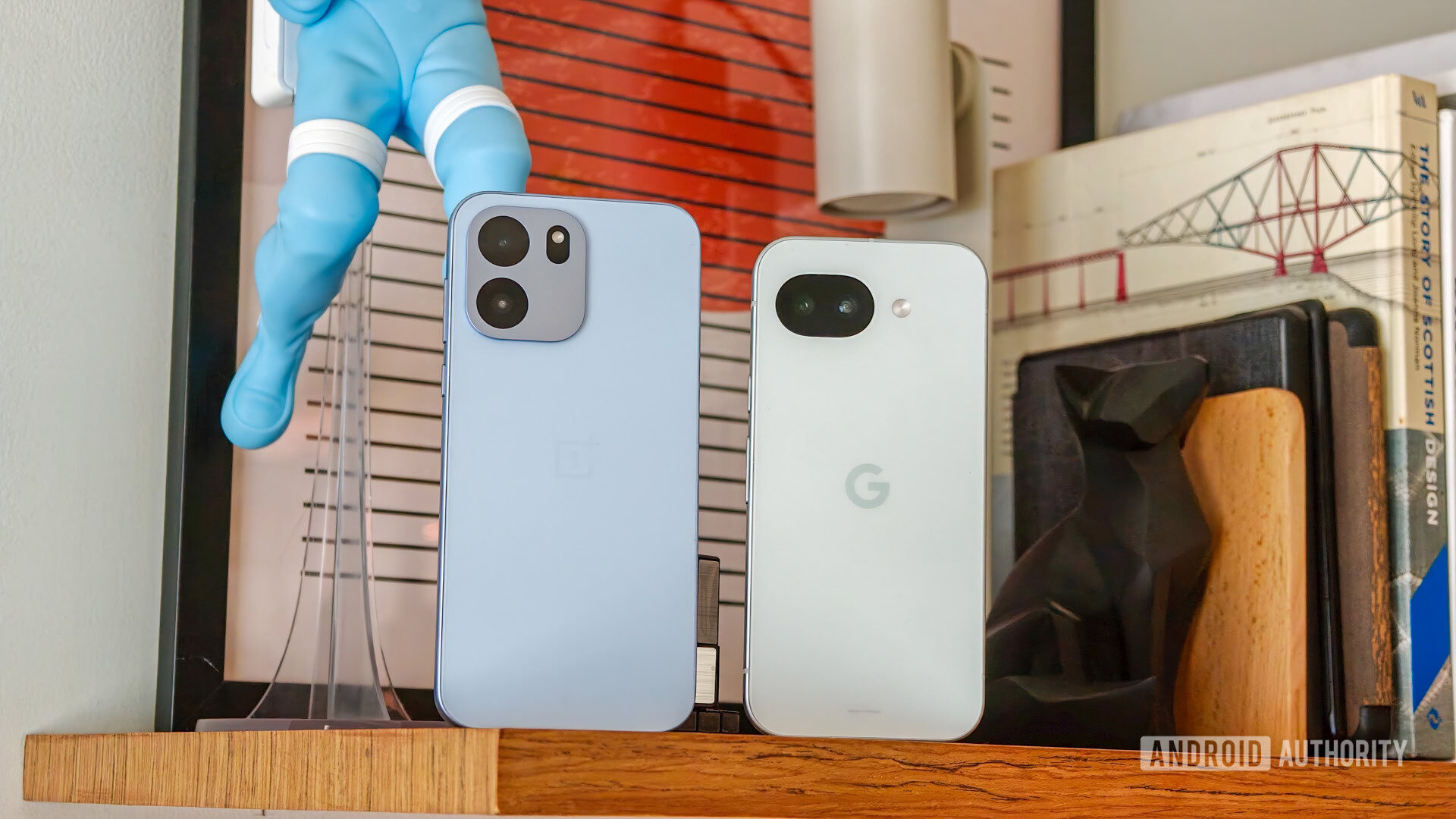
I’ve been on the Pixel bandwagon for almost nine years now, since the Pixel 2 XL was released. I’ve had nearly every Pixel since then (minus the Pixel 3 series) and used them as my primary phones throughout the entire year until it was time to upgrade again.
But Pixels have not been my only phones. I’ve had Samsung, OnePlus, HONOR, realme, Nothing, Fairphone, Poco, Nokia, and other phone brands in my hand. Yet every time I try another brand, there’s something that keeps me coming back to my Pixel.
Those features change with time, with my use and digital needs, and with the different features that get implemented on non-Pixels and stop being unique to Google’s phones. Right now, here are the five features I miss the most when I move away from my Pixel 10 Pro XL.
Which Pixel feature do you / would you miss the most from Pixel phones?
1 votes
Pixel VPN

Joe Maring / Android Authority
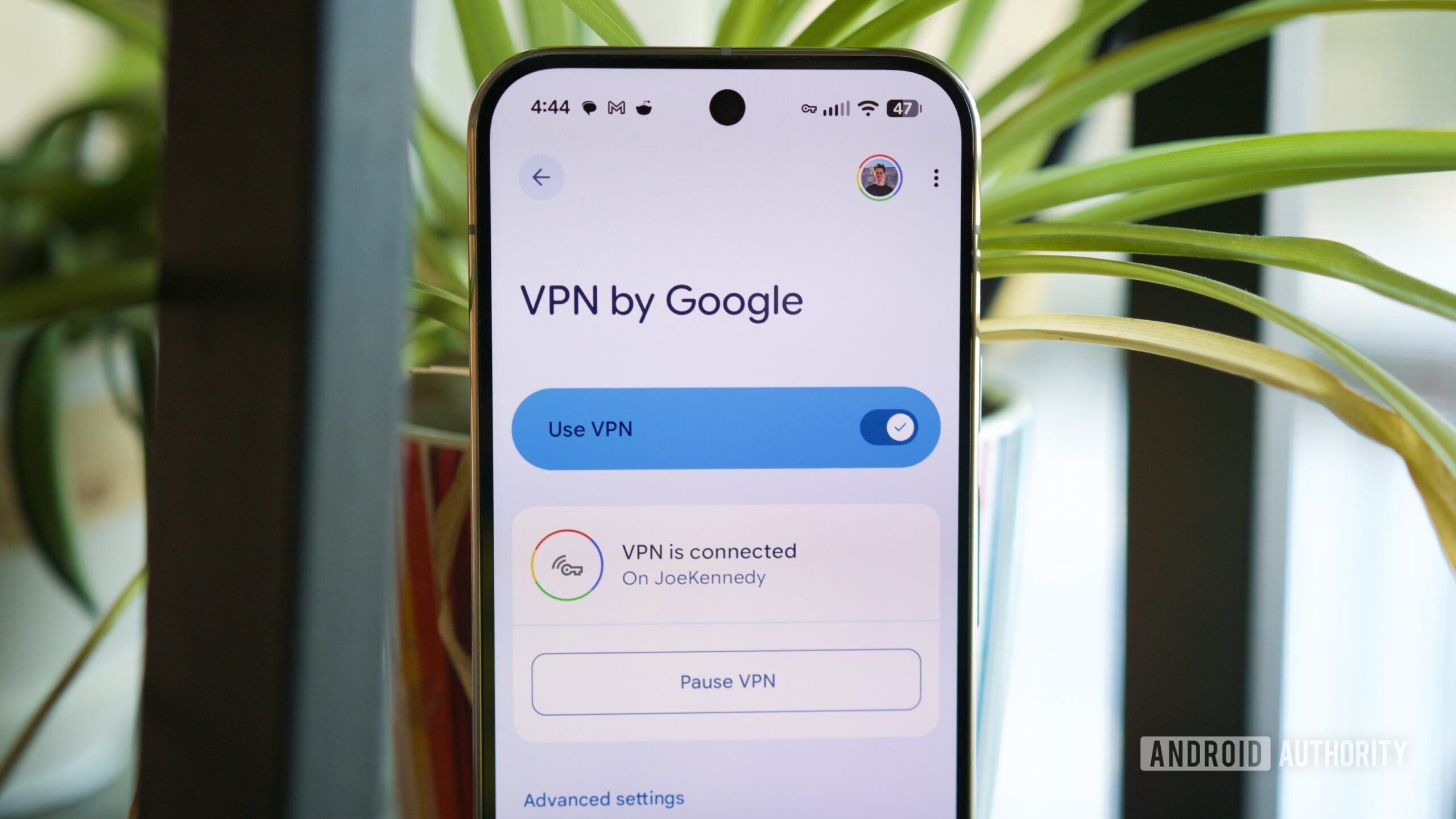
Of all the Pixel-exclusive features, the one I keep coming back to the most these days is the free Pixel VPN. I used to avoid connecting to public Wi-Fi networks and rely on my SIM card, which offers free roaming across Europe, or a prepaid eSIM outside of the continent. But I’ve recently found myself in several situations where I needed to connect to public networks.
From uploading photos at hotels to having a terrible reception signal on trains, I’ve had to accept the perils of connecting to public Wi-Fi, and the one mitigating factor that has kept me feeling safe and at ease is my Pixel 10 Pro’s VPN. It’s free, it works everywhere I need it, and it’s very easy to turn on from the Quick Settings toggles.
Plus, thanks to a bunch of more granular settings, I can choose exactly when the VPN works and where it gets automatically disabled. For example, I can set my home Wi-Fi to be safe so the VPN doesn’t trigger there, and exclude the apps that misbehave on VPNs. Of course, there are more powerful VPN services out there, but for something free and built into the phone, Pixel VPN is enough for my needs.
Spam management

Andy Walker / Android Authority
Pixel 8a
There’s rarely a day that goes by without some random number calling me to talk to me about energy deals in France. I don’t know what this spam/scam is about, but it’s immensely annoying, especially on days when I’m expecting a delivery or a call back from a company. My Pixel 10 Pro XL’s Call Screening has been saving me from all of these, and for that reason alone, my SIM card can’t leave this phone.
Call Screening has become indispensible to me to avoid wasting my time with scam callers.
It took me a while to adopt Call Screening, but now I immediately tap the button when I see an unknown number, even if I’m not expecting any deliveries or other calls. It usually takes five seconds tops before the scammers hang up. They never call back, never send a message, never try to reach me again. And that tells me everything I need to know about that number, so I report it to Google and move on.
I also appreciate that the Pixel has robust message spam management, too, with auto-flagging and archiving of spam messages. In the US, Pixel users get even more call and message features, and while I’m a bit jealous of them, I find that these two are already huge quality-of-life improvements for my phone use.
Pixel Recorder

Sanuj Bhatia / Android Authority
Several Android brands now include voice recording apps in their software, with many highly-marketed AI features, but I keep coming back to the simple efficiency of Pixel Recorder. For several years now, my Pixel’s built-in recorder has been my go-to tool for recording voice notes during work meetings or for my own personal recollection. It works offline, on the device, and now recognizes different speaker voices and tags them. But my favorite Pixel Recorder features go beyond that.
It’s indispensable for me that all my recordings sync across devices with my Google account. I also love the web link it provides for each recording, so anyone can listen to the voice note live and see the text transcription at the same time. The options to export the text file or the voice recording separately are also fantastic.
I don’t need more than this, to be honest, and the more AI features and bling other apps add, the less likely I am to use or trust them. The only feature I wish Pixel Recorder would add is the ability to manually edit some words to help me export a cleaner version in case of misinterpretation.
Screensaver modes

Rita El Khoury / Android Authority
My Pixel phone tends to sit on a charger for a couple of hours every day. Sometimes, that’s at night; other times, it’s midday. And although they’re not as advanced as the iPhone’s Standby Mode — which I’m a bit envious of — the screen saver options on my Pixel do the job.
Depending on my mood or the current circumstances, I might have it rotate between my favorite Google Photos, let it display the weather on particularly variable days, or even show my smart home controls. There’s a basic clock screen saver, too, that comes in handy at night. But if I had to pick a favorite, it would always be Google Photos. I love seeing my best moments or my favorite people when my phone is on the charger, and it’s an integration I always miss when I use non-Pixel phones.
All the safety features

Rita El Khoury / Android Authority
For several years now, the safety features of Pixel phones have been an absolute must-have and the sole reason I pick a Pixel over any other phone. I can’t imagine moving my SIM card to another phone and losing my Pixel’s car crash detection, theft detection, satellite messaging, crisis alerts, and fall detection. No other Android phone offers a similar set of protective features — some might have one or two, but not all.
A younger version of me might not have cared about any of this, but as I get older and have more responsibilities, these safety features have become essential to me. I want the peace of mind that I can still connect and send messages in areas with poor reception, and that my phone will detect potential car crashes and call emergency services if I’m not conscious to do so.
Of course, there are many other Pixel features I appreciate every day, like selecting text or images from the app switcher screen, or Now Playing, the camera’s Top Shot and Photo Unblur, the new contact Calling Cards, and more. But today, the five features I mentioned above are what keep me firmly in the Pixel camp. What about you? Which Pixel features can’t you live without? And which ones are you fine giving up on?
Thank you for being part of our community. Read our Comment Policy before posting.